Year 9 Admission Requirements for Families
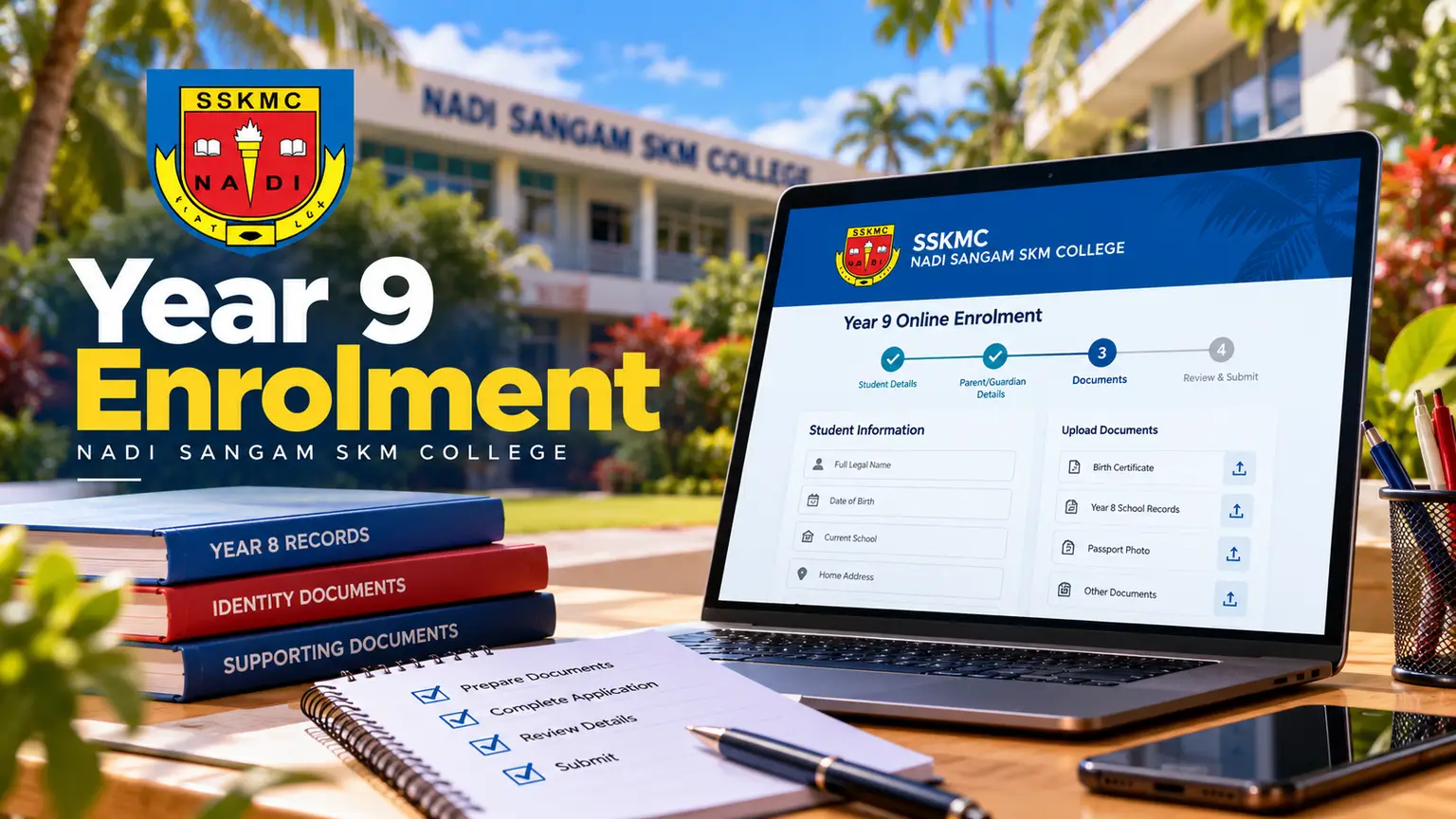
Understand Year 9 admission requirements, prepare accurate documents, submit online, track your application, and complete enrollment with confidence today.
A Year 9 application is easier to manage when the information is prepared before the form is opened. For families moving from Year 8 into secondary school, the Year 9 admission requirements are not only about eligibility. They also involve submitting complete details, providing the requested supporting records, monitoring the application status, and responding promptly when further action is needed.
At Nadi Sangam SKM College, the online enrollment process is designed to give families a clear record of what has been submitted and where the application stands. The best way to avoid delays is to treat each part of the application as an official school record: accurate, complete, and consistent with the documents provided.
Start with the official application instructions
Admission requirements can vary by intake, available places, and the information the school needs to confirm a student's entry into Year 9. Before entering details, read the instructions shown in the enrollment portal carefully. These instructions should guide the application rather than assumptions based on another school, an earlier intake, or a friend's experience.
Parents or guardians should complete the application where possible, with the student available to confirm personal information. Use the student's legal name as it appears on official school and identity records. Small differences in spelling, date of birth, or contact details can create extra follow-up later.
Keep a note of the email address and phone number used during the application. These details may be needed to receive updates, access the application record, or respond to an admissions request. Choose contact details that the family checks regularly, not an address or number that may go unattended during the school break.
Information commonly needed for Year 9 admission requirements
The online application will ask for information that helps the school identify the student, review the request for placement, and communicate with the responsible parent or guardian. Have the relevant records nearby before starting. The exact documents and fields required will be shown in the portal, but families may be asked to provide the following:
- Student identification details, including full legal name, date of birth, home address, and current school information.
- Parent or guardian details, including phone numbers, email addresses, residential address, and the appropriate emergency contact information.
- Year 8 school records or other academic information requested as part of the admissions review.
- Supporting identity, residence, citizenship, or medical information where the application instructions request it.
- Any additional declarations, permissions, or documents needed to complete the enrollment assessment.
Do not upload a document simply because it seems relevant if it has not been requested. Equally, do not leave a requested section blank because the information appears elsewhere in the form. Each field and upload request has an administrative purpose.
When uploading files, check that every image or scanned document is readable. A photograph that is dark, cropped, blurred, or partly covered may not be usable. Make sure names, dates, signatures, and reference numbers can be seen clearly. If a document has more than one page, confirm that all pages have been included in the correct order.
Complete the application carefully before submitting
An online form reduces paperwork, but it does not remove the need for careful review. Set aside enough time to finish the application without rushing. If the portal allows you to save progress, use that option when you need to locate a record or confirm a detail. Do not guess at information such as an identification number, school result, address, or contact number.
Before selecting submit, review the application from the beginning. Check the spelling of the student's name, the Year 9 entry information, current school details, parent or guardian contacts, and each uploaded file. Confirm that required fields have been completed and that declarations have been read before they are accepted.
It is also sensible to retain a copy of the submitted information for the family record. Save any application reference number, confirmation screen, or email acknowledgment supplied through the system. This information can help when tracking progress or responding to a question from the admissions team.
Submitting an application is a request for admission, not confirmation of a place. The school may need time to review information, verify documents, and process applications in line with its admissions procedures. A complete application supports an efficient review, but families should wait for the official status or communication before making assumptions about acceptance.
Track the application status after submission
One benefit of a centralized enrollment system is that families can follow the progress of an application without relying on repeated office visits or informal updates. After submission, return to the portal using the correct application details to check the current status.
A status may show that an application has been received, is under review, needs additional information, has been offered admission, or has reached another stage in the process. The wording used in the system should be read closely. “Received” means the application has entered the system; it does not necessarily mean that every requirement has been approved.
If the status indicates that further information is required, act as soon as possible. Read the request fully, provide only the information asked for, and submit it through the stated process. Delayed responses can affect how quickly an application can move forward, particularly when the school is managing a high volume of Year 9 enrollment requests.
Avoid creating a second application because an update has not appeared immediately. Duplicate applications can make records harder to match and may slow the review process. Instead, use the existing application reference and the portal's stated support process if assistance is needed.
What to do when admission is offered
An offer of admission usually begins the final enrollment stage. Read the offer instructions carefully and complete every required action by the stated deadline. This may include accepting the place, confirming parent or guardian details, providing any remaining documents, or completing school-specific enrollment steps.
Deadlines matter. A school must plan classes, student records, and available places before the new academic year begins. If a family cannot complete an action by the required date, they should follow the communication instructions provided with the application or offer rather than allowing the deadline to pass without contact.
This is also the time to check that the family understands the next administrative steps. Keep copies of confirmations and submitted documents together. Make sure the contact details remain current so that notices about orientation, uniforms, school arrangements, or the start of Year 9 can reach the right person.
Common issues that can delay an application
Most application delays come from avoidable gaps rather than difficult admissions rules. Missing documents, unreadable uploads, incorrect contact information, incomplete declarations, and inconsistent names across records can all require clarification. A simple final review often prevents these problems.
Families should also be careful when using another person's email address or phone number. This may be necessary in some circumstances, but the person receiving messages must be able to pass on admissions updates promptly. If contact details change after submission, update them through the appropriate process so the school is working from the correct record.
For students, Year 9 is a significant transition. Completing the application carefully gives the family a practical starting point: accurate records, visible progress, and a clear path for completing admission when the school is ready to proceed.